Head Swap (Image)
namifusion/head-swap/image-edit
namifusion/head-swap/image-edit. 瀏覽圖像、影片與換臉模型 API。先試用任一模型,再透過統一 REST API 整合。
完整參數參考、輸出結構與即時價格
| AI 模型 API 市集 | 一個平台,全部完成 | 最受歡迎 | 服務條款 | 瀏覽圖像、影片與換臉模型 API。先試用任一模型,再透過統一 REST API 整合。 |
|---|---|---|---|---|
| images *Images | image_upload | — | 2–2 items |
完整參數參考、輸出結構與即時價格
| 深入了解 | 一個平台,全部完成 | 瀏覽圖像、影片與換臉模型 API。先試用任一模型,再透過統一 REST API 整合。 |
|---|---|---|
| images | array<string> |
API
瀏覽圖像、影片與換臉模型 API。先試用任一模型,再透過統一 REST API 整合。
cURL
# 1) Submit — returns { "task_uuid": "..." }
curl -X POST "https://www.namifusion.com/api/v1/marketplace/run/namifusion/head-swap/image-edit" \
  -H "Authorization: Bearer YOUR_API_KEY" \
  -H "Content-Type: application/json" \
  -d '{
  "input": {
    "images": [
      "https://assets-public.namifusion.com/uploads/images/2026-04-21/76c1186af77d.png",
      "https://assets-public.namifusion.com/uploads/images/2026-04-21/149467630166.png"
    ]
  }
}'

# 2) Poll until status is "completed", then read the output URLs
curl "https://www.namifusion.com/api/v1/marketplace/run/tasks/TASK_UUID" \
  -H "Authorization: Bearer YOUR_API_KEY"
Python
import time, requests

API_KEY = "YOUR_API_KEY"
HEADERS = {"Authorization": f"Bearer {API_KEY}"}

# 1) Submit
resp = requests.post(
    "https://www.namifusion.com/api/v1/marketplace/run/namifusion/head-swap/image-edit",
    headers=HEADERS,
    json={
        "input": {
            "images": [
                "https://assets-public.namifusion.com/uploads/images/2026-04-21/76c1186af77d.png",
                "https://assets-public.namifusion.com/uploads/images/2026-04-21/149467630166.png"
            ]
        }
    },
)
resp.raise_for_status()  # 401/402/429/5xx stop here instead of polling a bad task
task = resp.json()

# 2) Poll until a terminal state (completed / failed / cancelled).
#    This model is allowed up to 600s server-side.
deadline = time.time() + 660
while task.get("status") not in ("completed", "failed", "cancelled"):
    if time.time() > deadline:
        raise TimeoutError(f"still {task.get('status')} — keep the task_uuid and poll later")
    time.sleep(3)
    poll = requests.get(f"https://www.namifusion.com/api/v1/marketplace/run/tasks/{task['task_uuid']}", headers=HEADERS)
    poll.raise_for_status()
    task = poll.json()

print(task["status"], task.get("output"))
JavaScript
const API_KEY = "YOUR_API_KEY";
const HEADERS = { Authorization: `Bearer ${API_KEY}` };

// 1) Submit
const resp = await fetch("https://www.namifusion.com/api/v1/marketplace/run/namifusion/head-swap/image-edit", {
  method: "POST",
  headers: { ...HEADERS, "Content-Type": "application/json" },
  body: JSON.stringify({
    "input": {
      "images": [
        "https://assets-public.namifusion.com/uploads/images/2026-04-21/76c1186af77d.png",
        "https://assets-public.namifusion.com/uploads/images/2026-04-21/149467630166.png"
      ]
    }
  }),
});
if (!resp.ok) throw new Error(`submit failed: ${resp.status} ${await resp.text()}`);
let task = await resp.json();

// 2) Poll until a terminal state (completed / failed / cancelled).
//    This model is allowed up to 600s server-side.
const deadline = Date.now() + 660 * 1000;
while (!["completed", "failed", "cancelled"].includes(task.status)) {
  if (Date.now() > deadline) throw new Error(`still ${task.status} — keep the task_uuid and poll later`);
  await new Promise((r) => setTimeout(r, 3000));
  const poll = await fetch(`https://www.namifusion.com/api/v1/marketplace/run/tasks/${task.task_uuid}`, { headers: HEADERS });
  if (!poll.ok) throw new Error(`poll failed: ${poll.status}`);
  task = await poll.json();
}

console.log(task.status, task.output);
API 文件
Head Swap Image Edit
Transfer a head from one reference image onto a target photo while preserving the target body, pose, and scene.
Head Swap Image Edit is a focused two-image workflow for replacing the head in a target photograph. The first image supplies the head reference and identity; the second image supplies the body, pose, clothing, lighting context, and background that should remain. The fixed input order makes the model straightforward to use, but respecting that order is essential for a correct result.
Key Features
- Dedicated head replacement: Changes the head region while retaining the target photograph as the visual base.
- Two-image control: Separates identity reference from target composition instead of relying on a text prompt.
- Pose and scene preservation: Designed to keep the target body, clothing, framing, and background intact.
- Simple deterministic contract: Exactly two image URLs are required in a documented order.
- Square output: Produces a 1024 x 1024 edited image for consistent downstream use.
Technical Specifications
| Item | Details |
|---|---|
| Task | Head replacement / image editing |
| Required input | images, exactly two image URLs |
| Image 1 | Head and identity reference |
| Image 2 | Target photograph and base composition |
| Input order | Reference first, target second |
| Prompt | Not required |
| Output | Edited image URL |
| Output dimensions | 1024 x 1024 |
Input Guidance
Use a sharp reference image with a clearly visible head and minimal occlusion. For the target image, choose a photo where the head, neck, and surrounding hair or clothing boundaries are readable. Similar camera angles and compatible lighting generally produce a more natural blend. The two URLs must remain in the exact documented order.
Pricing
| Item | Price |
|---|---|
| One edited image | 22 credits |
This value reproduces the existing Marketplace pricing configuration; this documentation update does not alter pricing.
Best Use Cases
- Character and casting visualization for creative review.
- Portrait concept variations while retaining an approved pose and scene.
- Marketing mockups that require a different head reference on an existing composition.
- Controlled visual experiments where a text prompt would introduce unnecessary variation.
Best Practices
Avoid tiny, heavily blurred, side-profile, or obstructed reference heads. Match approximate viewing angle and lighting direction between the two images. Check the result around hairlines, ears, neck boundaries, and accessories. If alignment is poor, improve the input crops rather than changing the required image order.
相關模型
xAI Grok Imagine Image v2.0 Edit
x-ai/grok-imagine-image-v2.0/edit. 瀏覽圖像、影片與換臉模型 API。先試用任一模型,再透過統一 REST API 整合。
qwen-image-edit-spicy
qwen-image-edit-spicy. 瀏覽圖像、影片與換臉模型 API。先試用任一模型,再透過統一 REST API 整合。
Qwen Image 3.0 Pro Edit | Fast Image Editing
qwen-image-3.0-pro/edit. 瀏覽圖像、影片與換臉模型 API。先試用任一模型,再透過統一 REST API 整合。
OpenAI GPT Image 2.5 Sunburst Edit
openai/gpt-image-2.5-sunburst/edit. 瀏覽圖像、影片與換臉模型 API。先試用任一模型,再透過統一 REST API 整合。
OpenAI GPT Image 2.5 Flare Edit
openai/gpt-image-2.5-flare/edit. 瀏覽圖像、影片與換臉模型 API。先試用任一模型,再透過統一 REST API 整合。
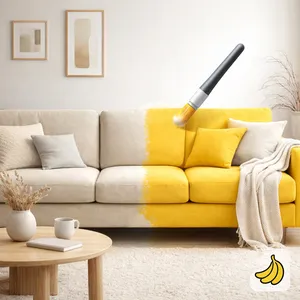
Nano Banana Image Edit
google/nano-banana/edit. 瀏覽圖像、影片與換臉模型 API。先試用任一模型,再透過統一 REST API 整合。
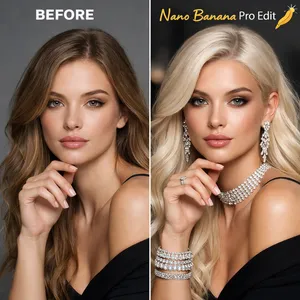
Nano Banana Pro Image Edit
google/nano-banana-pro/edit. 瀏覽圖像、影片與換臉模型 API。先試用任一模型,再透過統一 REST API 整合。
Nano Banana 2 Image Edit
google/nano-banana-2/edit. 瀏覽圖像、影片與換臉模型 API。先試用任一模型,再透過統一 REST API 整合。